 FitUp
Tool 04 · Jobs and cut list
Save pipe offsets to a job and read the cut list at the saw
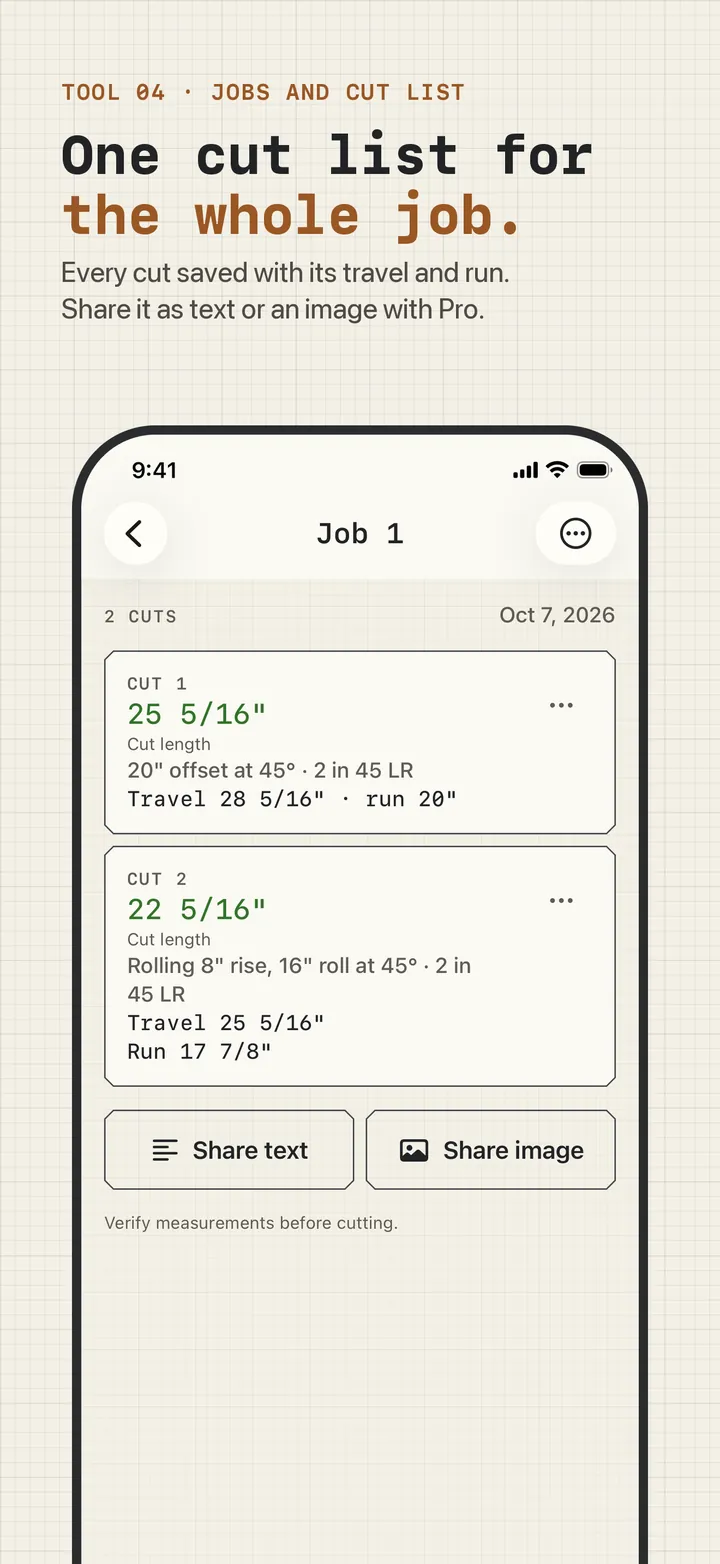
A spool or a run of pipe is rarely one offset. FitUp saves each calculation to a named job, numbers the cuts, and keeps them in one cut list with the cut length up front and the measurements that produced it underneath.
What a cut list holds
Each saved cut shows:
- The cut length in green, rounded the way your settings say.
- What it came from, for example "20″ offset at 45° · 2 in 45 LR" or "Rolling 8″ rise, 16″ roll at 45° · 2 in 45 LR".
- The travel and the run, so the piece can be checked against the drawing.
- An optional name, so "Cut 3" can become "riser to header".
Under every list sits the line "Verify measurements before cutting." Jobs and cuts can be renamed and deleted from the menu on each one.
Saving a cut
After any simple or rolling offset, tap Save to job, pick the job, and name the cut if you want. The offset you try during setup is already saved as Cut 1 of Job 1, so the list is never empty on day one.
Sharing a cut list with the foreman or the shop
With Pro, Share cut list sends the job as plain text (headed "Cut list from FitUp") or as an image of the list, through the iPhone share sheet to Messages, email, AirDrop, or a notes app. Nothing is uploaded anywhere by FitUp; the share sheet hands it to the app you pick. If you choose Save Image, iOS asks once for permission to add it to Photos.
Free and Pro
Free keeps one job with any number of cuts. Pro keeps a job for every site and adds sharing. If Pro ends, nothing is deleted: every job stays on the phone and can be renamed or deleted, the first job's cut list stays readable, and the cut lists of later jobs show again when Pro is back ("Your cuts are kept. Pro shows them again.").
Jobs are stored on your iPhone, not on a server, and travel with your normal iCloud or computer backup. See the privacy policy for exactly what stays on the phone.