 FitUp
FitUp for iPhone
What FitUp does, tool by tool
FitUp is a pipe offset calculator with four tools. Each one answers in the number you mark on the pipe. Here is what each tool takes, what it gives back, and where the free tier ends.
Tool 01
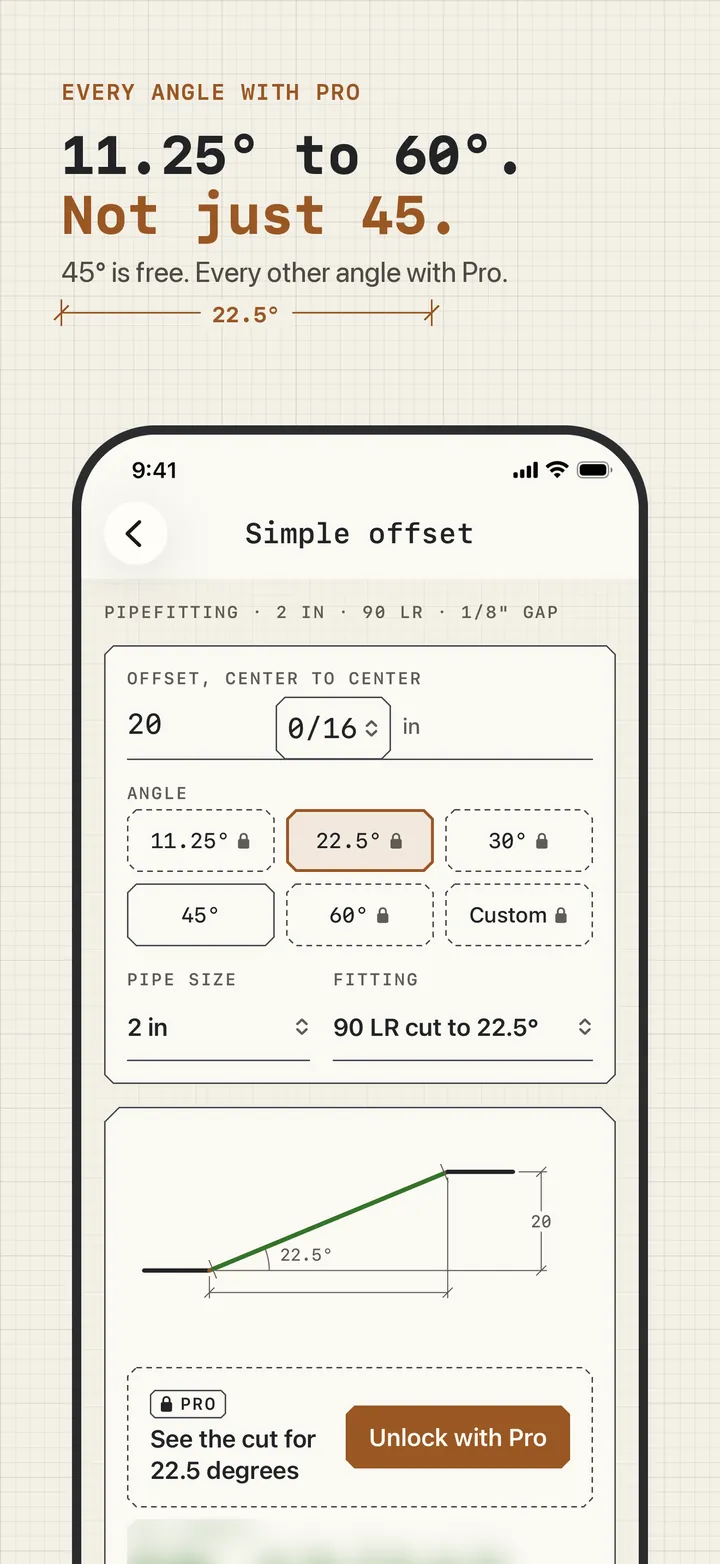
Simple offset: the cut length for an offset at any angle
Type the offset center to center, pick the fitting angle (11.25, 22.5, 30, 45, 60, or any angle from 1 to 89), the pipe size, and the fitting. FitUp returns the travel, the run, the take-out for each fitting, the gap for each joint, and the cut length to the nearest 1/16, with the offset triangle drawn and labeled and the formula written out.
If two fittings cannot fit in the offset, it says so and gives the shortest offset that leaves 1/16 inch of pipe between them.
FREE every 45 degree offset, unlimited. PRO the answer at every other angle. On the free tier the diagram still draws for 22.5 or 60, and the numbers sit behind a "See the cut for 22.5 degrees" panel.
Tool 02
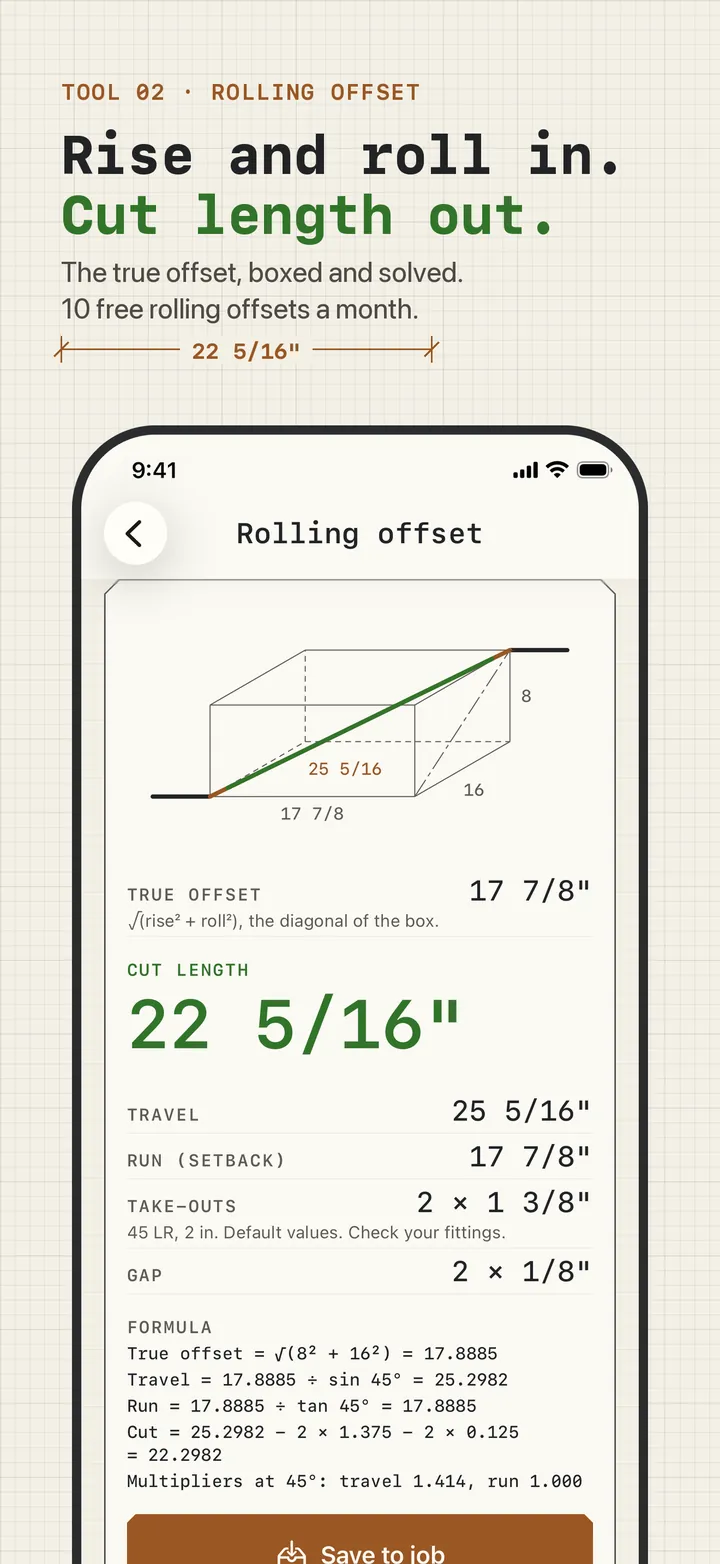
Rolling offset: rise and roll to cut length
Type the rise and the roll. FitUp finds the true offset, the square root of rise squared plus roll squared, then the travel, run, and cut length at your angle, and draws the box the pipe runs through. In setback mode you type the run you have room for and it works out the fitting angle.
FREE 10 rolling offsets at 45 degrees each month, with the count left shown beside the tool. PRO unlimited, every angle, and setback mode.
Tool 03
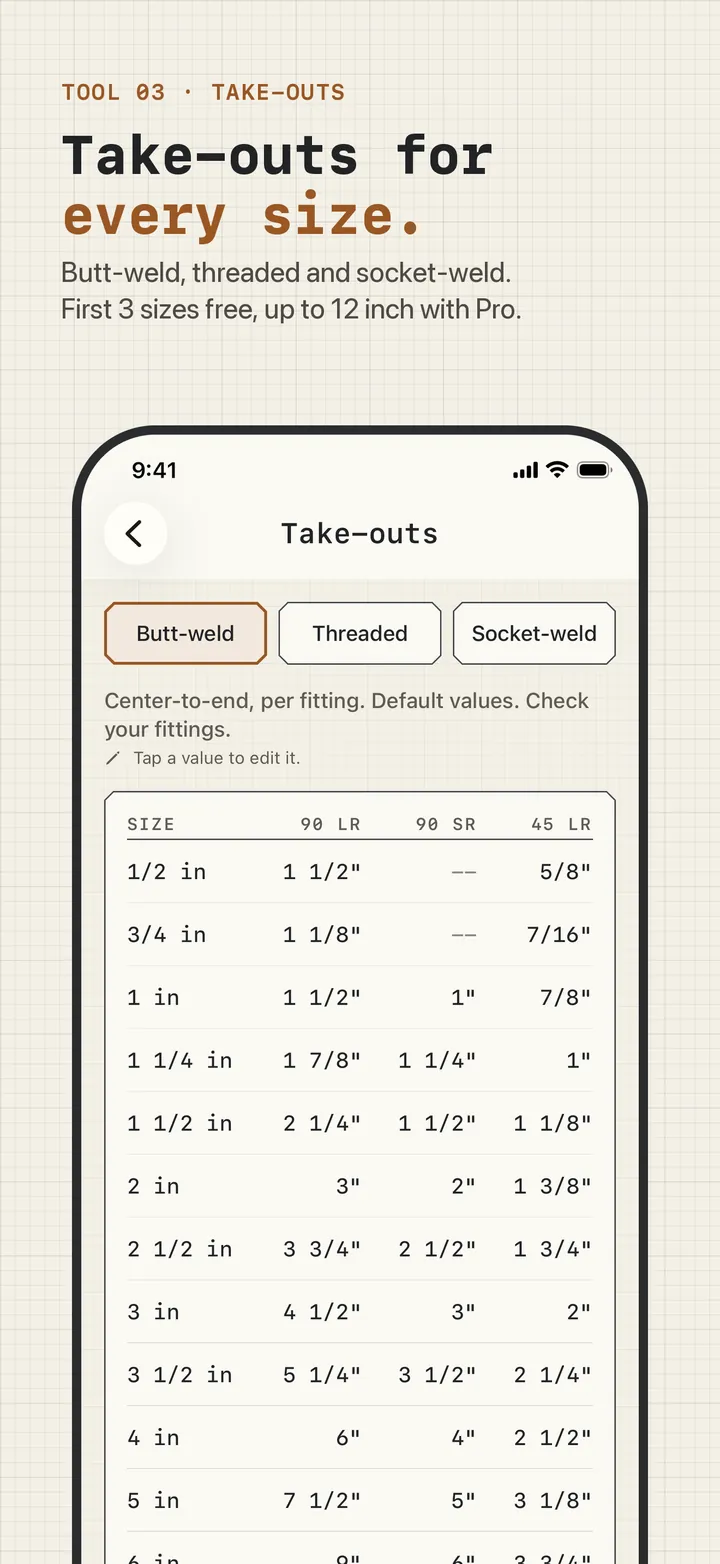
Take-outs: a chart that feeds every offset
Center-to-end values for 90 long radius, 90 short radius (1 inch and up), and 45 long radius butt-weld elbows from 1/2 to 12 inch, marked "Default values. Check your fittings." The offset tools read their take-outs from this chart, so a corrected value is used in every cut after that.
FREE the 1/2, 3/4, and 1 inch rows. PRO every size to 12 inch, editing any value, and typing in threaded and socket-weld take-outs.
Tool 04
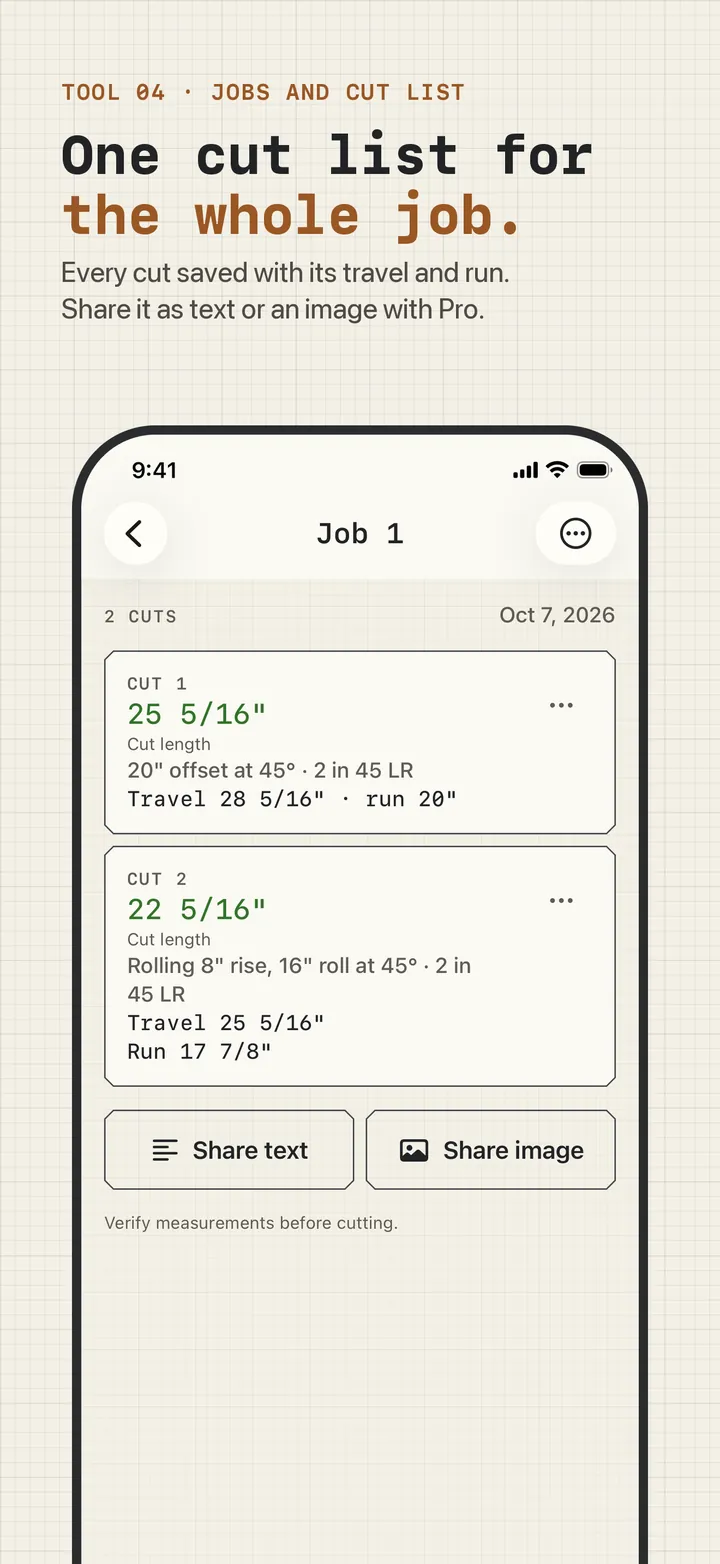
Jobs and cut list: every cut for one job, in one list
Save a calculation to a named job and it becomes a numbered cut: the cut length in green, with the offset, angle, pipe size, fitting, travel, and run under it. The offset you try during setup is already Cut 1 of Job 1.
FREE one job with any number of cuts. PRO a job for every site, and sending a cut list as text or an image.
Settings that change every answer
- Units. Fractional inches or decimal inches to three places are free. Millimeters are Pro.
- Rounding. Nearest 1/16 inch is free; nearest 1/32 is Pro. The cut is rounded once, at the end.
- Weld gap per joint. 1/8 inch by default for welded trades and zero for plumbing. Changing it (0 to 3/16) is Pro.
- Your trade and pipe size. Set during the five setup screens; every tool opens on that size and fitting.
What FitUp does not do
- It does not bend conduit. Conduit offsets use bender marks and shrink; FitUp is for pipe joined with fittings.
- It does not lay out miters, saddles, or laterals.
- It does not check codes, pressure ratings, slope, or supports, and it does not inspect fittings. Its take-outs are published defaults for you to check.
- It is an iPhone app. There is no Android version; the web calculators run on any phone.